Note: I am still investigating this, so whilst it looks like it might be the root cause, I am not 100% just yet. I’ll update once I confirm.
I run SFTPGo in a container for my VCF file based backups, the reason is I want a clear security boundary for what VCF can (and cannot) access within my home. SFTPGo is a neat tool and it facilitates this boundary very well. Throughout VCF 5.x and in 9, I’ve been using it as a backup target for VCF components including SDDC Manager/NSX, VCF Fleet/Management Services, HCX etc to name a few. It’s also one of the many backup targets for this blog.
I recently upgraded to VCF 9.1.1 and ever since I ran into an issue when trying to configure the backup location within VCF Ops > Administration > SDDC Manager > Backup Settings > Site Settings, observing the following error:
Http failure response for https://<vcfopsfqdn>/vcf-operations/plug/sddc-77/plugin/api/v1/system/backup-configuration/validations?useAsyncValidation=true: 504 OK.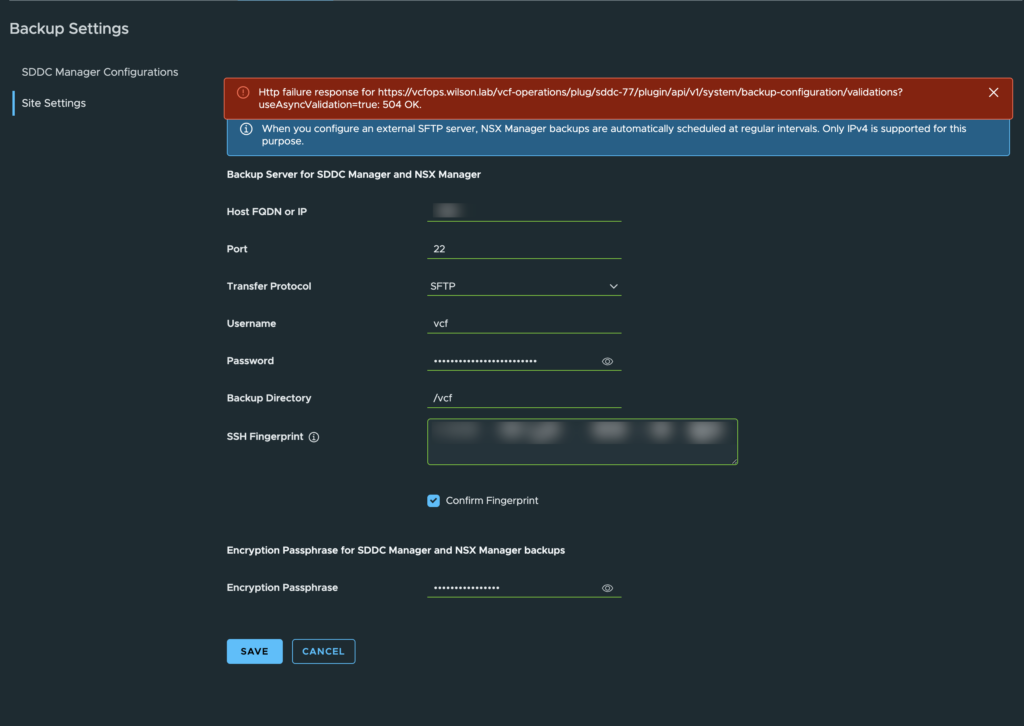
The error itself is quite vague and not very helpful. Looking at the SFTPGo container logs I saw the following:
{"level":"debug","time":"2026-09-09T09:58:54.449","sender":"sshd_exec","connection_id":"7052f0119cf972a70dc84f5378462049e62096908f060657bf74bb5eba682b3f_1","message":"new ssh command: \"df\" args: [-BG /vcf 2>/dev/null | awk NR>1 {print $4} | head -1] num args: 9 user: vcf, error: <nil>"}
{"level":"info","time":"2026-09-09T09:58:54.450","sender":"sshd_exec","connection_id":"7052f0119cf972a70dc84f5378462049e62096908f060657bf74bb5eba682b3f_1","message":"ssh command not enabled/supported: \"df\""}
When you configure Site Settings backup server location, the configuration is pushed to both SDDC Manager and NSX. The same would be observed on SDDC Manager itself since the view in VCF Ops is just a remote iframe from SDDC Manager being loaded into the browser. I logged into NSX, and configured the same backup server details and it worked without issue, so I knew the issue was with SDDC Manager.
I decided to look at SDDC Manager’s operationsmanager.log file (/var/log/vmware/vcf/operationsmanager/operationsmanager.log) to try and figure out what was going on, and why it failed but NSX worked:
2026-09-09T08:58:15.807Z INFO vcf_om ... Disconnecting(...): SSH2_DISCONNECT_PROTOCOL_ERROR - Detected IdleTimeout after 600852/600000 ms.
2026-09-09T08:58:15.809Z WARNING vcf_om 2931 [sddcm@4413 ... class="c.v.v.c.f.p.b.r.v.BackupLocationValidator" method="validateDiskSpace" line="442"] Could not determine disk space for path /vcf on server <server IP/FQDN>
Before starting the backup process, SDDC Manager looks to validate free disk space. Rather than using the native SFTP subsystem like NSX does (and incidentally VCF Management Services!), SDDC Manager initiates a raw SSH Shell command:
df -BG /vcf 2>/dev/null | awk NR>1 {print $4} | head -1Since SFTPGo is a purpose built SFTP solution, it doesn’t look like it can process remote piped bash commands, as a result the SDDC Manager workflow fails and it reaches a defined 600 second timeout value. This also explains the 504 error seen in the UI.
Since the configuration comes from a compiled Java file (class=”c.v.v.c.f.p.b.r.v.BackupLocationValidator line 442), unfortunately it is not possible to modify the behaviour. This may impact native Windows SFTP service, as well as 3rd party SFTP tools such as Bitvise since it looks like SDDC Manager expects a standard GNU/Linux server running OpenSSH.
Again, as mentioned at the beginning, this is something I’m still investigating and I’ll update if I find any more information.
Surely my Asustor NAS would work, right?
Since my original backup solution doesn’t work in 9.1.1 I figured I’d use my Asustor NAS for SFTP backups. This NAS is purely NFS for VCF VMs, so there’s no information on it I don’t want my lab to access and as such it meets my security requirement. However that also failed validation! I figured it would be due to Asus shipping some old cyphers with their shhd configuration, but the opposite is true.
When validating a backup target, SDDC Manager does a host-key fingerprint check by SSH’ing to the target with a random username with no creds, just to force the handshake far enough to grab the key, then lets auth fail on purpose. On newer OpenSSH targets that pattern reads as brute force attempt and trips the server’s own PerSourcePenalties throttle, so it starts resetting SDDC Manager’s connections. This looks like an SSH algo mismatch in the logs but it’s actually just rate limited. Fix is exempting SDDC Manager’s source IP (or subnet) on the target’s sshd config at /volume0/usr/etc/ssh/sshd_config and restart the SSH service.
PerSourcePenaltyExemptList <SDDC Manager IP or Subnet>This allowed me to backup VCF to my Asustor NAS. Note – if you upgrade the Asustor OS, this setting will likely be reset.